🧩 Pod management
🧩 Restart pod
- To restart ComfyUI, restart the pod from the RunPod console (no information loss).
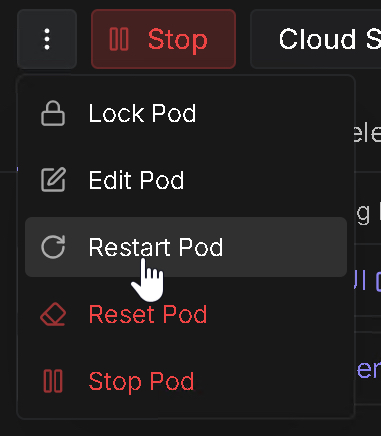
🧩 Stop and restart a pod
- No information loss as ComfyUI is copied to the /workspace volume.
- Use this option to pause your pod.
⚠️ Be aware it is possible that no GPU is available when you restart the pod.
- Before stopping the pod copy your creations to cloud/local.
- You can still access the pod from with ssh or web console (0.5 vCPU and very little memory).